
Functions: serverless HTTP endpoints for your project
Platform functions are standalone serverless HTTP endpoints scoped to a project, with typed signatures, Dev and Public versions, per-function environment variables and optional public URLs.
Some backend logic doesn't belong to a single component: a webhook receiver, a small API for a partner, a form handler that returns an HTML page. Protokol platform functions are built for that. A platform function is a standalone serverless HTTP endpoint scoped to your project. It receives an HTTP request, runs your JavaScript, and returns an HTTP response. You manage them in the dashboard under Developer › Functions.
This post explains how they work, how to call them, and how they differ from component functions.
What a platform function is
Each platform function has a name and one or more versioned expressions (JavaScript). The code runs in a secure sandbox with the platform SDK and a set of utility libraries available.
The key difference from a component function: a component function is attached to one component and simply returns a value. A platform function is independent of any component, and builds its answer with a global response object, so it controls the status code, the content type and redirects.
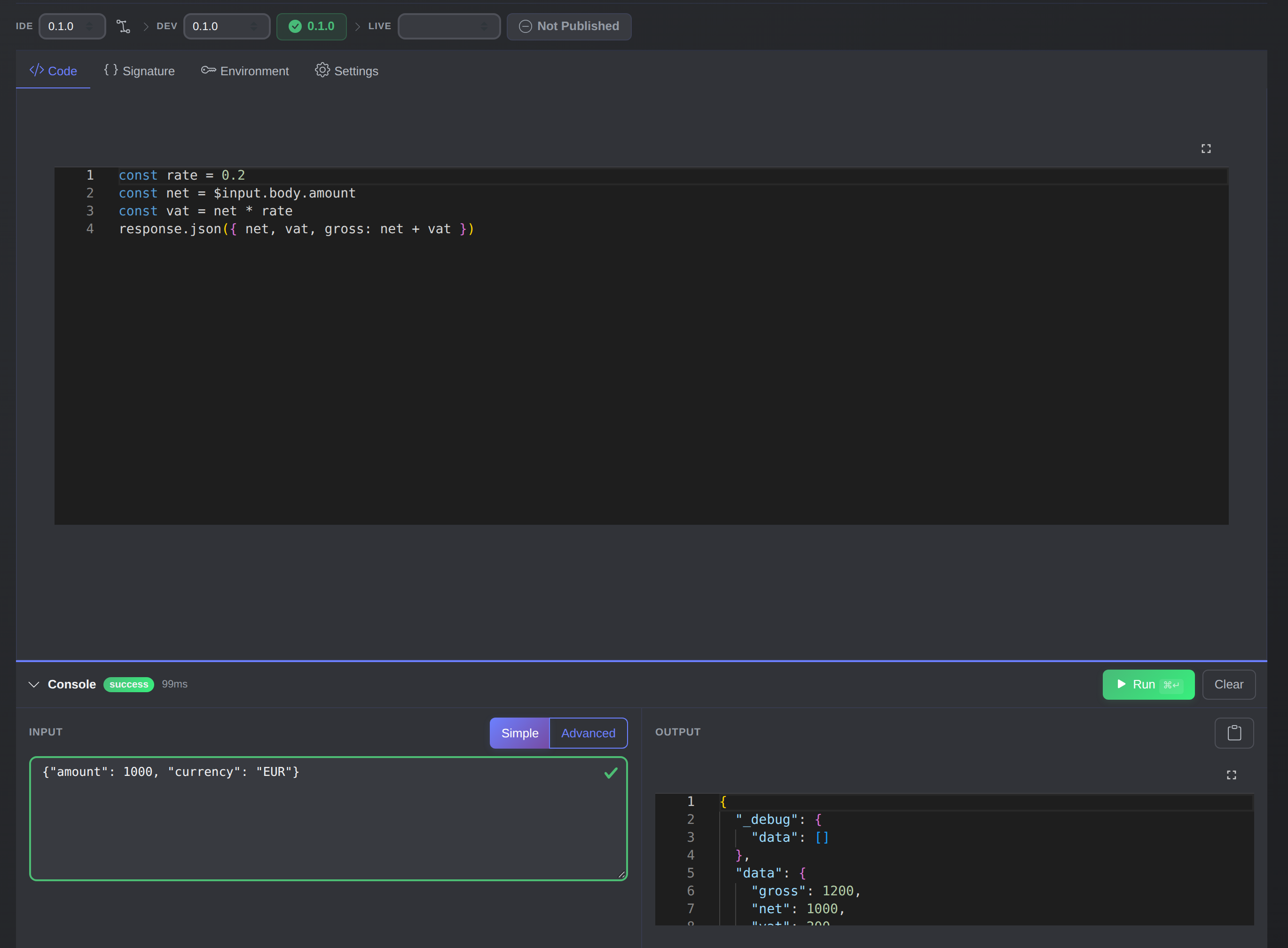
The function editor in the dashboard: code on top, and a Console below to run it and read the response.
Platform functions can:
- accept a JSON body, query parameters, headers, form data and file uploads;
- return JSON, HTML, XML or a redirect, with a custom status code;
- declare a typed signature that validates input;
- keep separate Dev and Public versions;
- optionally be called without authentication through a signed URL.
Writing a function
The smallest function reads the input and responds:
const name = $input.body?.name || "World"

response.json({ message: `Hello, ${name}!` })
A longer one can use the SDK to talk to your components:
if (!$input.body?.email) {
  response.status(400).json({ error: "Email is required" })
  return response
}

const { Component } = $sdk.version('0.9')
const users = new Component("users")

const existing = await users.findOne({ email: $input.body.email })
if (existing) {
  response.status(409).json({ error: "User already exists" })
  return response
}

const user = await users.create({
  email: $input.body.email,
  name: $input.body.name,
  status: "pending"
})

response.status(201).json({ user_id: user.uuid })
The request: $input
| Property | Contents |
|---|---|
$input.body |
JSON-parsed request body |
$input.query |
Parsed URL query parameters |
$input.headers |
Request headers, only those prefixed X-Func- |
$input.form_data |
Parsed multipart form fields |
$input.files |
Files uploaded in multipart requests |
The response: response
Every method returns this, so calls chain.
| Method | Effect |
|---|---|
response.json(body) |
JSON response |
response.html(body) |
HTML response |
response.xml(body) |
XML response |
response.send(body) |
Generic JSON response |
response.status(code) |
Sets the HTTP status code |
response.redirect(url) |
Sends a 307 redirect |
If your code throws, the runtime catches the error and returns it through the response object. For a structured error, set the status and body yourself.
Typed signatures
A function can declare a signature that describes its input and output. When one is set, $input.body is validated against signature.input before your code runs, and a caller that sends the wrong shape is rejected immediately with a structured error.
{
  "signature": {
    "input": {
      "amount":   { "type": "number",  "required": true },
      "currency": { "type": "string",  "required": true },
      "discount": { "type": "number",  "required": false }
    },
    "output": {
      "type": "object",
      "fields": {
        "net":   { "type": "number" },
        "vat":   { "type": "number" },
        "gross": { "type": "number" }
      }
    }
  }
}
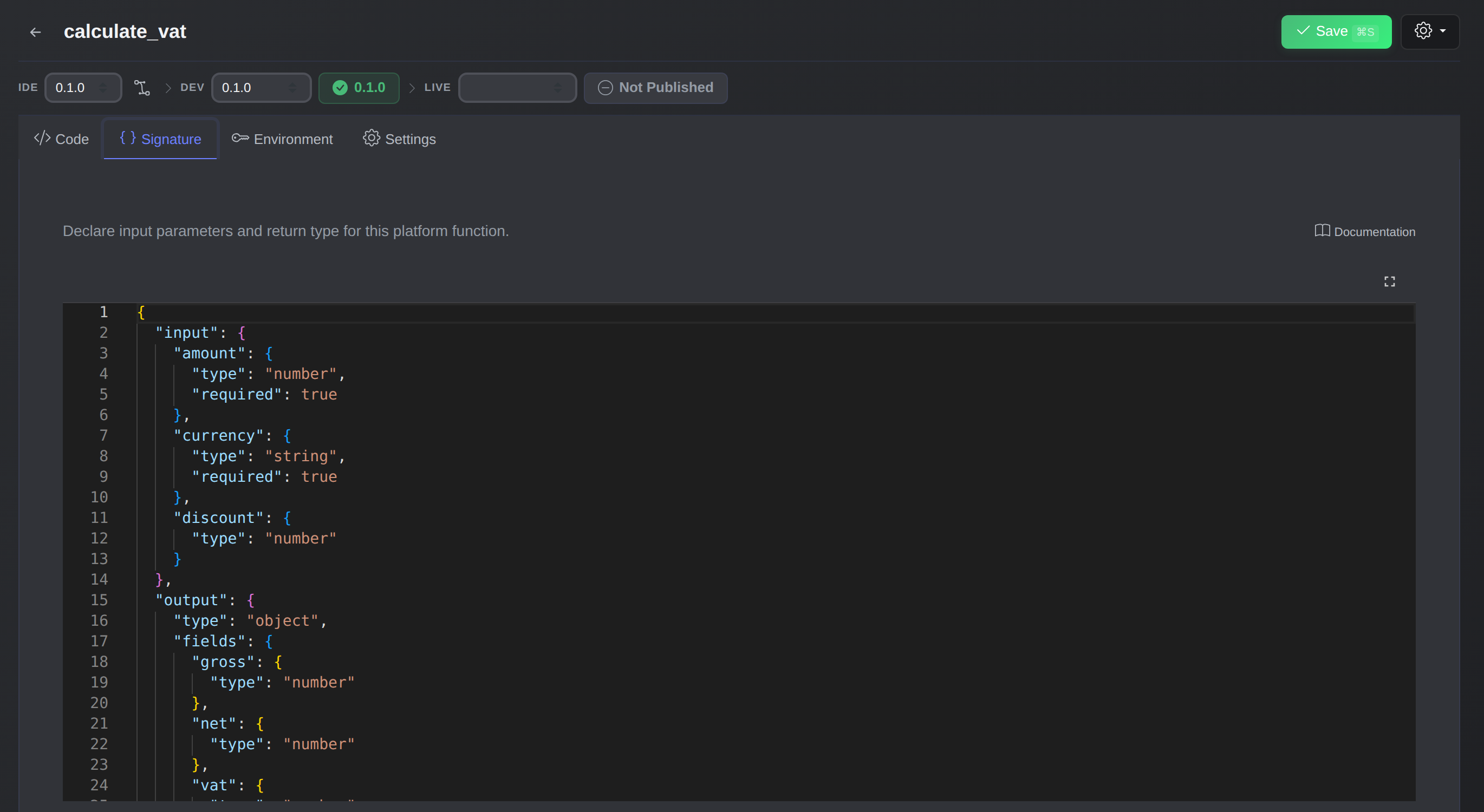
The Signature tab declares the input and output types. The editor and the runtime both use it.
You edit it in the Signature tab of the function editor. Types use the same TypeDef structure as component IDLs. Validation is lenient: extra fields are accepted, and only missing required fields and type mismatches fail. With no signature, nothing is validated. A signature also gives the code editor $input autocomplete and type errors.
Dev and Live
A function can hold several versions, with two pointers: the Dev version runs when the function executes in the dev environment, and the Public version runs in every other environment, which means production. You can iterate on the Dev version without touching production traffic.
import { Functions } from "@ptkl/sdk"

const functions = new Functions()
await functions.update("function-uuid", {
  settings: [
    { version: "0.1.0", expr: "response.json({ v: '0.1.0' })" },
    { version: "0.2.0", expr: "response.json({ v: '0.2.0' })" }
  ],
  dev_version: "0.2.0",
  public_version: "0.1.0"
})
A new function starts with an empty expression and a Dev version of 0.1.0. Inside the code, $currentEnv tells you which environment you are in ("dev" or "public").
Environment variables with $env
Configuration that changes between environments goes into per-function environment variables. You set one set for dev and one for public, and the function sees the right one as $env:
{
  "env_variables": {
    "dev": {
      "STRIPE_SECRET_KEY": "sk_test_...",
      "WEBHOOK_URL": "https://dev.example.com/hook"
    },
    "public": {
      "STRIPE_SECRET_KEY": "sk_live_...",
      "WEBHOOK_URL": "https://example.com/hook"
    }
  }
}
const apiKey = $env.STRIPE_SECRET_KEY
Values that hold keys or tokens can be stored encrypted. How encrypted values work is covered in our secrets post. Project-wide values live in the global environment, available as $globalEnv.
Calling a function
Authenticated
Run a function by UUID, name or tag, with POST or GET:
POST /v1/system/function/run/{ref}
GET  /v1/system/function/run/{ref}
From the SDK:
import { Functions } from "@ptkl/sdk"

const functions = new Functions()
const result = await functions.run("send_welcome_email", {
  input: { email: "john@example.com", name: "John" },
  query: { notify: "true" },
  headers: { "X-Func-Source": "signup-form" }
})
Or over HTTP:
curl -X POST /v1/system/function/run/send_welcome_email \
  -H "Content-Type: application/json" \
  -H "X-Func-Source: signup-form" \
  -d '{ "email": "john@example.com", "name": "John" }'
The CLI has the same commands: ptkl functions list, get, run, create, update, and signature <env> <reference>.
ptkl functions run calculate_vat --input '{"amount":1000,"rate":0.2}'
To run a specific function, a caller needs the run function::{name} permission.
Public endpoints
For webhooks and callbacks from services that can't authenticate, a function can be public. You generate a signed URL, and anyone with it can call the function:
POST /v1/system/function/public/{signature}/run/{ref}
GET  /v1/system/function/public/{signature}/run/{ref}
const { data } = await functions.generateSignature("send_welcome_email", "public")
// Returns a ready-to-use public URL
Public calls have limits: $globalEnv and $initiator are not available. No permission is needed to call one.
Run identity
A function runs as its run_as identity, with that identity's permissions, not the permissions of whoever calls it. Without run_as it runs as Maintainer. For a public function, pick a narrow identity that holds only what the function needs, and treat the request body, query and headers as untrusted input. Our run identities post covers identities in depth.
{
  "name": "send_welcome_email",
  "run_as": "prn:role:5f0c1c1e-2a58-4a38-a7c1-7d2f3a1f8b11"
}
Debugging and limits
Send X-Debug: true (or ?_debug=true on a public function) and the response includes a _debug field with captured console.log() output. Use debug.add({ ... }) to add structured data.
| Property | Value |
|---|---|
| Memory | 128 MB |
| Timeout | 30 seconds |
| Async | Full async/await |
| Call depth | At most 5 nested function calls |
| File upload | Up to 15 GB |
Node.js system modules such as fs, path and net are not available. Use the SDK and the provided libraries (moment, _, Handlebars, jwt, crypto, uuid and others).
A worked example: a VAT endpoint
Say a partner needs to ask for a gross price. You create a function calculate_vat with the signature above, so bad input is rejected before your code runs. The code is a few lines:
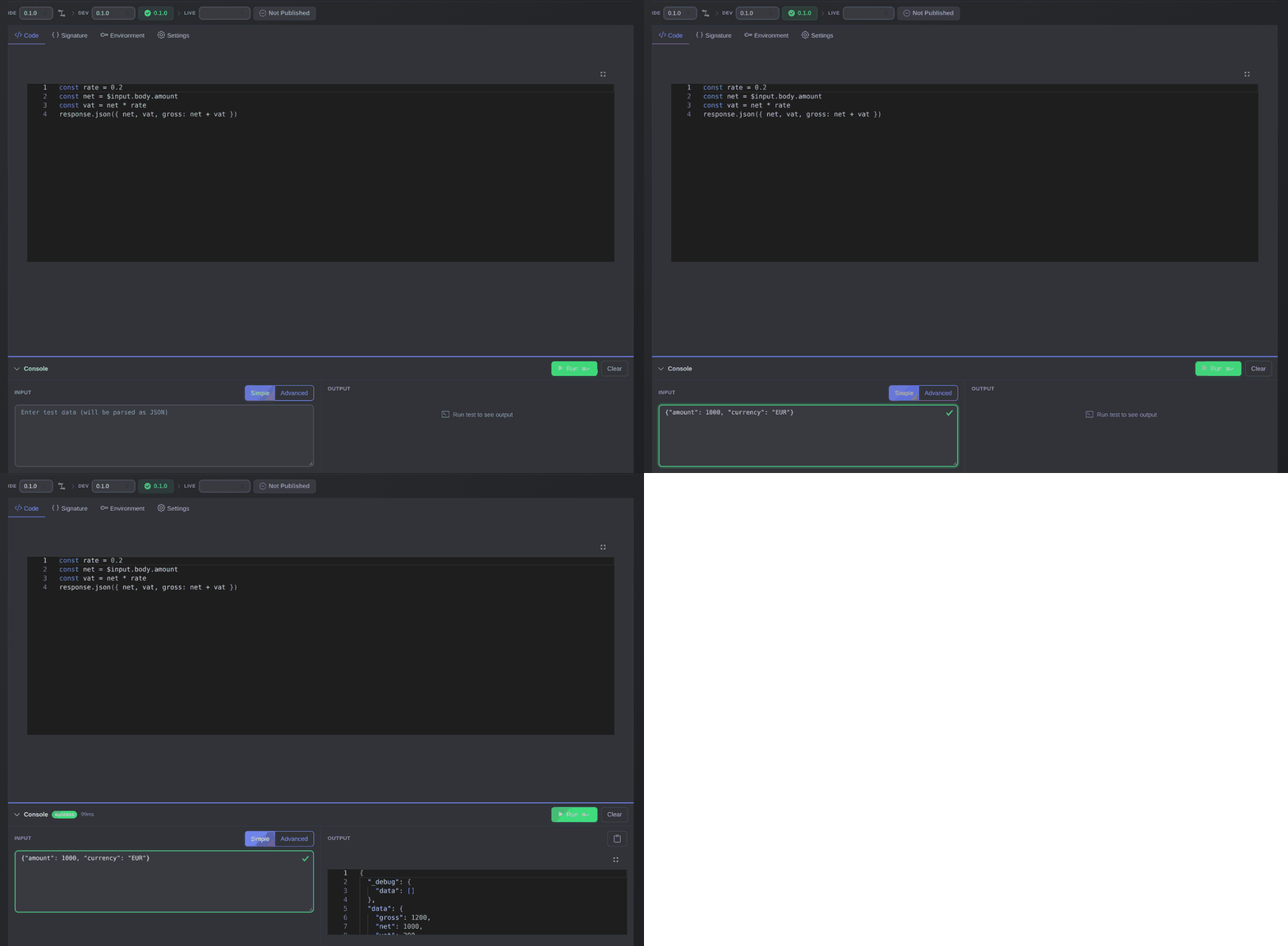
Enter the input, press Run, and read the response in the Console.
const rate = 0.2
const net = $input.body.amount
const vat = net * rate
response.json({ net, vat, gross: net + vat })
You test it in Dev with ptkl functions run calculate_vat --input '{"amount":1000,"currency":"EUR"}', move the Public version pointer when you are happy, and call it from your own systems with the run endpoint.