
Workforce in Kortex: playbooks that agents carry out, with people in the loop
Workforce lets Kortex agents carry out playbooks on their own, with approvals, questions, feedback, rules and typed results, all startable from the dashboard, API, SDK or ptkl.
Workforce puts Kortex agents to work. An agent at work can take on a task, use the tools you grant it and finish the job without someone sitting in a chat window. You decide what it may do, what it may spend, and when it must stop and ask a person.
This post covers what a developer authors or calls: playbooks, deploying and running them, the Needs you queue, feedback and rules, starting runs from code, and result schemas.
The pieces
- Agent at work. A Kortex agent becomes one when you give it Workforce settings (Put to work in the dashboard). They say who it acts as (
run_as), which tools it may call and which calls need a person (skills), its budget, and whom to tell (escalation). - Playbook. How a job is done: a drawing of steps, who performs each step, and the lines between them. Each version can be deployed to dev and to live.
- Run. One execution, either a single agent working on instructions you give it or a deployed playbook version. It records its steps, what it cost and why it ended.
What a playbook is
A playbook is a drawing of steps (nodes in the API) joined by lines (edges). Each step says what to do and which agent does it. It is saved as JSON on a version, so you can draw it on the dashboard canvas or send the JSON yourself.
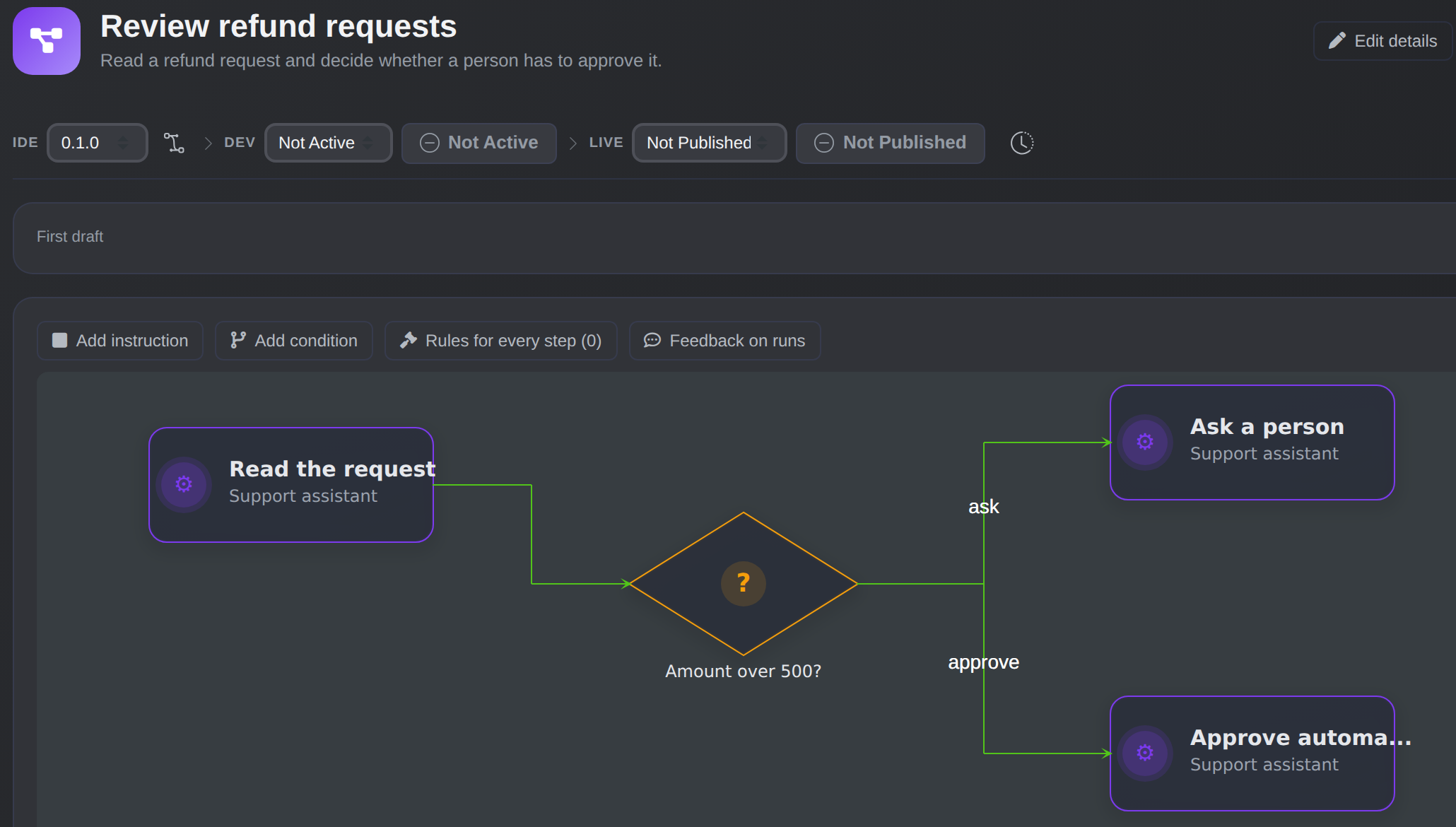
A playbook on the dashboard canvas: steps, a condition and the named lines between them.
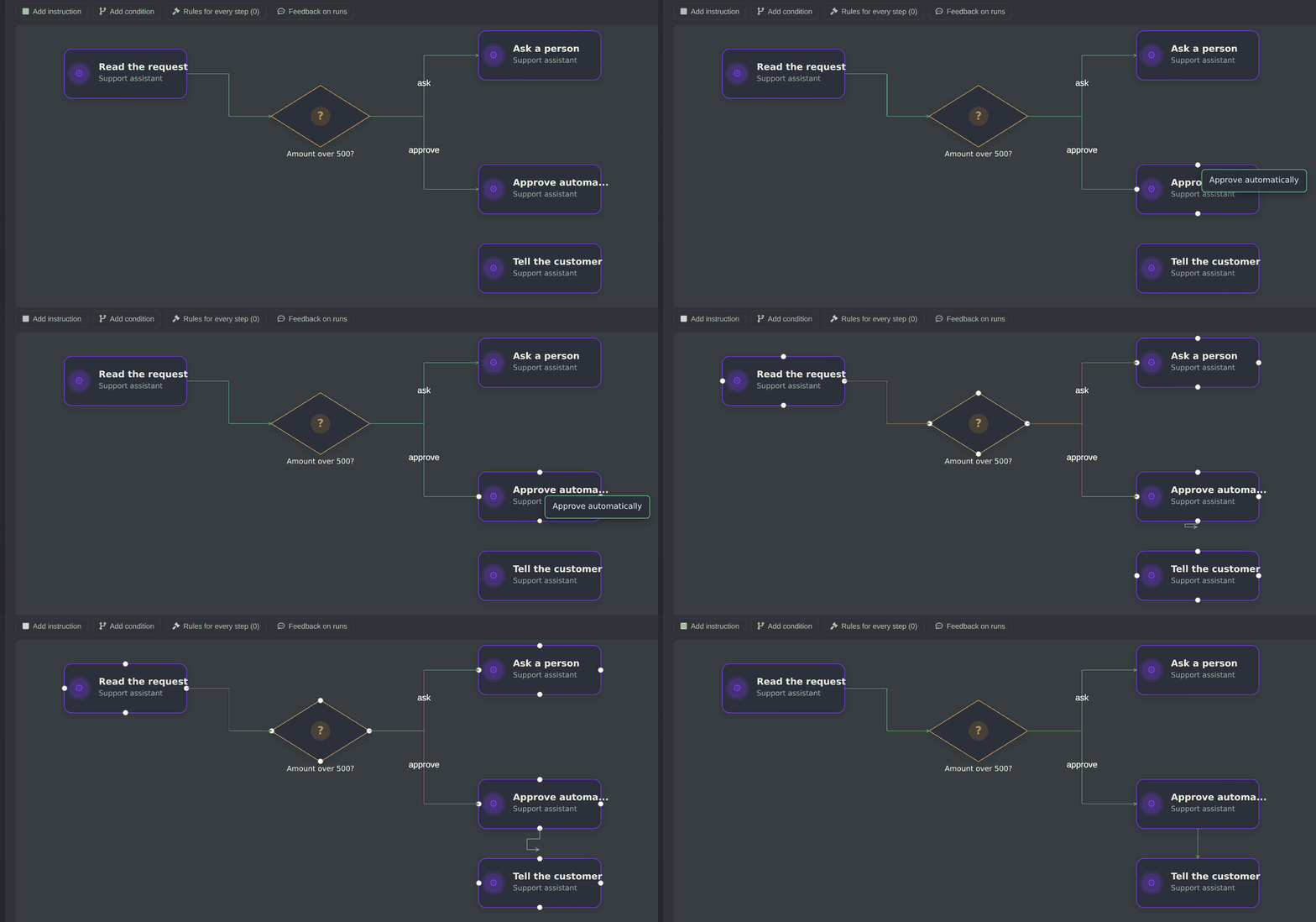
Add a step, then drag from one step to another to draw the line.
There are two kinds of step. An instruction is work for an agent: it reads the step's text and input, may call the tools it was granted, and finishes with a short summary that later steps see. A condition chooses the way: an agent reads the text and picks from the names of the lines leaving the step, one, several or none. A condition can instead decide by rules, with "decide_by": "rules" and a when expression over the run's input on each line:
{ "from": "route", "to": "sef", "name": "sef", "when": "input.amount > 500 && input.currency == \"RSD\"" },
{ "from": "route", "to": "pdf", "name": "pdf", "otherwise": true }
The same input always gives the same answer, and the choice doesn't call the agent.
A playbook has exactly one start, the step no line enters. When an instruction finishes, every line leaving it is followed, and steps that are ready together run side by side. Lines only go forward; to retry something, write it into the step's text. Approvals and questions aren't step kinds: they happen inside a step, when the agent needs a person.
A small example
{
  "nodes": [
    { "id": "check", "kind": "instruction", "title": "Check the invoice",
      "text": "Read the invoice from the input. Compare the total with the purchase order it names. Summarise any difference.",
      "agent_uuid": "22222222-2222-4222-8222-222222222222" },
    { "id": "route", "kind": "condition", "title": "Does it match?",
      "text": "Choose \"matches\" when the totals are equal. Choose \"differs\" when they are not.",
      "agent_uuid": "22222222-2222-4222-8222-222222222222" },
    { "id": "pay", "kind": "instruction", "title": "Schedule the payment",
      "text": "Schedule the payment for the invoice total with the payments tool.",
      "agent_uuid": "33333333-3333-4333-8333-333333333333" }
  ],
  "edges": [
    { "from": "check", "to": "route" },
    { "from": "route", "to": "pay", "name": "matches" }
  ]
}
The approval isn't in the drawing. It comes from the payments agent's settings: grant its tool with "approval": "confirm" and the payment step waits for a person. A tool can also be auto or never (refused).
Build, deploy, run
Create a playbook with POST /playbooks, save the drawing on a version with PATCH /playbooks/{uuid}/versions/{version}, and check it with POST /playbooks/{uuid}/versions/{version}/validate. Validation lists every problem at once, such as no_start or condition_few_lines, and deploy refuses a version with any. A new version is a copy of an existing one, and the version running in live is read-only.
POST /playbooks/{uuid}/deploy
{ "version": "0.2.0", "env": "dev" }
Deploy points an environment at a version; rollback points it back at the previous one. The usual flow is to deploy to dev, run it, judge the result, then deploy the same version to live. A run keeps the version it started with.
Start a run with POST /playbooks/{uuid}/runs, or one agent with POST /agents/{uuid}/runs:
POST /playbooks/{uuid}/runs
{ "env": "dev", "instructions": "Check invoice INV-2041.", "input": { "invoice_id": "INV-2041" } }
input is JSON that agents read as data, not as instructions. For standing work, an assignment pairs an agent or playbook with instructions and a trigger: manual, every N minutes (at least 5) or a cron expression. A Run playbook workflow step also starts a run, then carries on at once; the workflow never receives the run's result.
A run has a status (such as running, awaiting_approval, awaiting_answer, completed, failed or expired) and a stop_reason. Limits on steps, tool calls, tokens and duration end a run as completed with a budget_* stop reason. You can pause, resume or kill a run, and Stop everything pauses every agent and run in the project.
People in the loop: Needs you
A run stops for a person in two cases: an approval, when an agent wants to call a tool granted with confirm, and a question, when it can't settle something from its instructions. Everything waiting shows in Needs you, the third tab of the Workforce runs screen, next to History and Running. Each item shows what is waiting (for an approval, the tool and its exact arguments), the environment and the time left. You can:
- Approve, with an optional reason.
- Deny, with a required reason. The agent is told why and carries on; the run doesn't end.
- Answer a question, with an offered option or your own text.
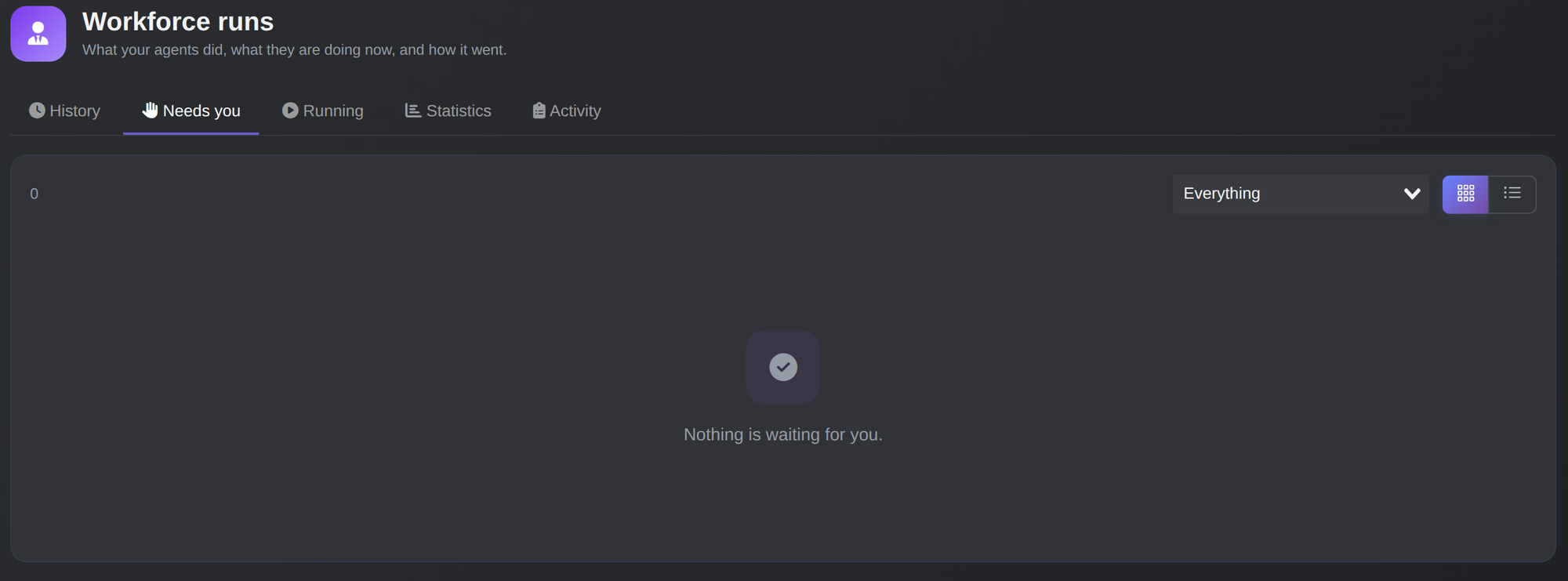
The Needs you tab lists what is waiting for a person; here nothing is.
Only people decide. An agent's own token is never accepted, so an agent can't approve its own call. workforce::approve isn't enough by itself: you also need access to the step's agent in Kortex user access.
An agent's escalation settings say whom to email when a run waits, fails or hits a limit. Every wait has a deadline (approval_timeout_sec, a day by default). If nobody decides in time, the run ends expired. Waiting doesn't count against the run's time limit. From code, use POST /runs/{run uuid}/steps/{index}/approve, deny or answer, and GET /approvals.
Feedback and rules
Feedback is a judgement of what a run did. Mark a step Good or Not right, pick a category such as wrong_arguments, and optionally say what the agent should_have done. Feedback on a playbook step is given to that step on later runs (the 10 newest notes, plus the 3 newest on the whole run) for 90 days, once a manager has it switched on.
A rule is a correction you keep: a short instruction with a title and an optional reason, stored on a playbook version. Every run of that version follows it.
{ "id": "", "step": "pay", "title": "Pay the gross total", "rule": "Use the gross invoice total, never the net amount.", "why": "Suppliers are paid gross." }
An empty step means every step. A version holds at most 20 rules, and rules fork with versions and travel with deploy and rollback. A manager turns a judgement into a rule with POST /feedback/{uuid}/promote. The version running in live can't change, so you fork a new one. These guidance rules are separate from the true-or-false rules a condition can decide by.
Starting runs from code and agents
The API covers playbooks, runs, approvals, agents, assignments and feedback. The SDK (@ptkl/sdk/beta) exposes it on platform.kortex():
import { Platform } from '@ptkl/sdk/beta'

const kortex = new Platform().kortex()
await kortex.deployPlaybook(playbookUuid, { version: '0.1.0', env: 'dev' })
const { data: run } = await kortex.startPlaybookRun(playbookUuid, {
  env: 'dev',
  instructions: 'Check invoice INV-2041.',
  input: { invoice_id: 'INV-2041' },
})
The toolkit manages playbooks as files with ptkl kortex playbook (pull, validate, push, deploy, rollback, run):
ptkl kortex playbook push -f invoice-check.json -u $PLAYBOOK --version 0.2.0
ptkl kortex playbook run -u $PLAYBOOK --env dev --instructions "Check invoice INV-2041." --wait
With --wait, the exit code tells a CI job what happened: 0 completed, 1 failed, 2 needs a person, 3 timed out. The MCP server gives AI coding assistants tools to build and run playbooks as the person who connected, and asks for confirmation before deploying, starting runs or deciding approvals.
Result schemas
By default a run answers in words. When a program needs the answer, give a last step a result schema:
{
  "id": "reply", "kind": "instruction",
  "text": "Write the reply to the customer and rate how urgent the ticket is.",
  "agent_uuid": "55555555-5555-4555-8555-555555555555",
  "result_schema": {
    "type": "object",
    "properties": {
      "priority": { "type": "string", "enum": ["low", "high"] },
      "text": { "type": "string", "description": "The reply that was sent." }
    },
    "required": ["priority", "text"]
  }
}
A schema goes only on an instruction step with no line leaving it. The agent finishes by calling a work_result tool with JSON that must match. If it doesn't, it is told what's wrong and gets one more try; after that the run ends failed with the stop reason result_invalid.
The schema is a small subset of JSON Schema: type, properties, required, items, enum, description and additionalProperties. The top level is an object, nesting is at most five levels, and the schema is at most 8 KB. Describe every field, because the agent reads the descriptions.
The run's result is keyed by last-step id, for example { "reply": { "priority": "high", "text": "hello" } }, and the prose summary is still written. Read it with kortex.getRun(run.uuid) as detail.run.result.
Where to use it
Use Workforce for jobs with a clear procedure and a few points that need human judgement, such as checking documents or routing requests. Keep consequential tool calls on confirm, and let schedules and workflow steps start the runs.
Learn more
Kortex and its Forge integration are in Kortex: AI Integration. The toolkit is in ptkl kortex. The workflow steps are in Workflow nodes, and the TypeScript client is in the SDK reference.